


BRISTOL VIDEO CO.
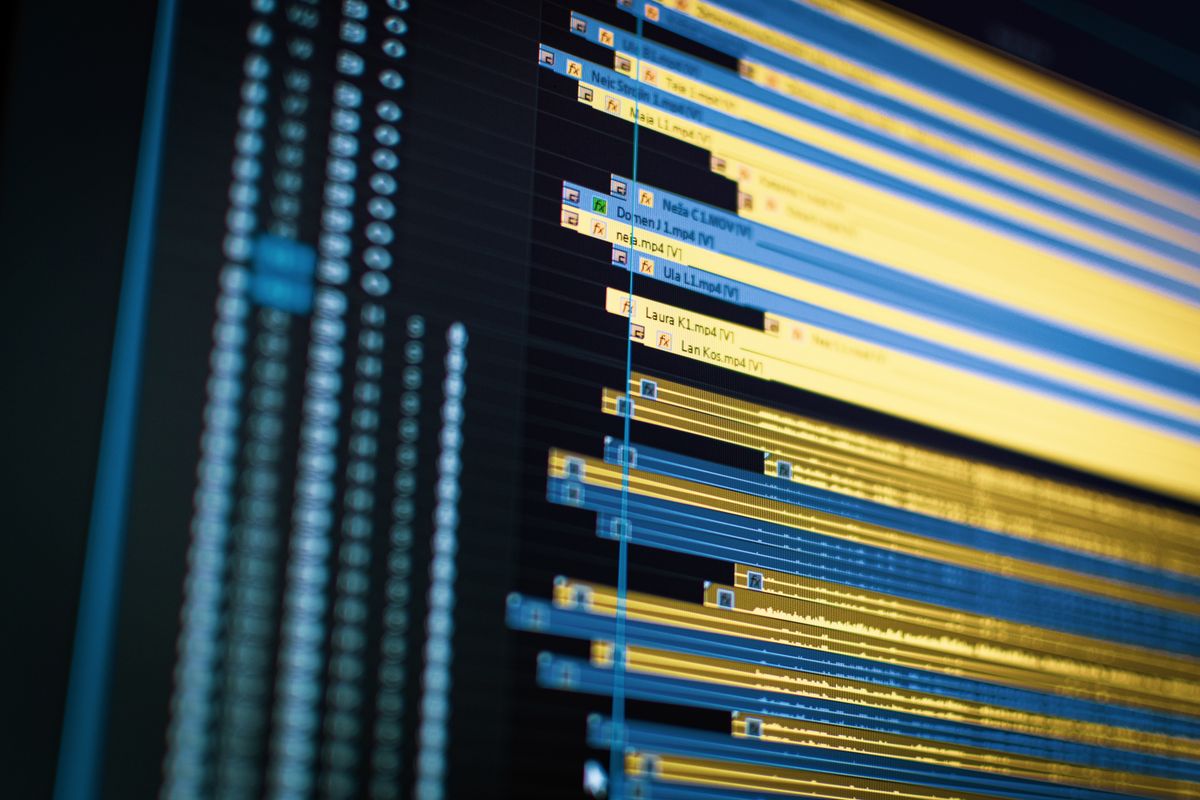
AI video editing assistants are starting to take on more of the work inside an editing project. Alongside tools that handle a particular job, such as tracking an object or cleaning up audio, we are now seeing assistants that can respond to an instruction and carry out a sequence of tasks.
Adobe’s November 2026 Creative Cloud announcement is a recent example. Its expanded Creative Agent includes capabilities in Premiere for applying effects across a sequence, tracking masked subjects and adjusting colour and exposure across multiple clips. Adobe’s announcement explains the new capabilities.
For anyone making corporate films, interviews or promotional videos, that raises a practical question: how much of the repetitive work can you hand over while keeping proper control of the edit?
At Bristol Video Co, that is the part worth looking at. There is plenty of work between importing the footage and delivering a finished film. Some of it needs creative judgement. Some of it involves doing the same thing to a lot of clips.
What has changed with AI video editing assistants?
AI has been part of editing software for years. Tracking, transcription and automated image adjustments are already familiar parts of post-production.
The recent development is the scope of the instruction. An assistant can potentially coordinate several actions within a project, rather than leaving the editor to operate each tool separately.
Adobe has also described an assistant in After Effects that can work across a project, helping with organisation, technical issues and expressions – the small pieces of code used to control animation. Those capabilities were introduced in public beta in September 2026. Read Adobe’s video tools update.
That makes the interesting development broader than generating an image or removing an object. It is about directing work within the software you already use, then inspecting and refining the result.
The examples below are our assessment of where that approach could be useful, rather than results from our own testing.
Where could an assistant help on a corporate film?
A two-day corporate shoot can produce interviews, supplier testimonials, office B-roll and several different delivery requirements. Before the film starts to take shape, the material needs organising.
Then come the repeated adjustments. A treatment might need applying across a group of shots. An approved effect might need updating throughout a sequence. Several versions may need checking against the same brief.
These are useful areas to assess because the instruction can be relatively specific and the outcome can be checked.
For a production team, the potential benefits include:
- Reducing repetitive project organisation.
- Applying consistent adjustments to defined groups of clips.
- Helping build or troubleshoot motion graphics.
- Making repeated changes easier to manage across an edit.
A clear instruction still needs a clear brief
“Make this look cinematic” leaves a lot open to interpretation.
Does that mean warmer highlights, deeper shadows, less saturation or a different contrast curve? Should skin tones stay neutral? Are we matching an existing brand film, or developing a new treatment?
Those questions exist whether the adjustments are made by hand or through an assistant.
A useful instruction needs a defined scope. Which clips should change? Which settings should remain untouched? Is the adjustment intended for one interview setup or the whole film?
For example, two cameras filming the same speaker may need different corrections to achieve a consistent result. Applying identical settings to both does not guarantee a match. The footage still needs checking shot by shot.
The more precise the intended outcome, the easier it becomes to judge whether the assistant has helped.
Faster adjustments still need careful review
The time saved issuing an instruction is only part of the calculation. We also need to consider how long it takes to inspect the result and correct anything unexpected.
A change across an entire sequence can affect a lot of footage at once. That makes review particularly important.
We would want to check:
- Scope: did the adjustment affect the intended clips?
- Consistency: do shots still match as the sequence plays?
- Control: can the changes be refined or reversed easily?
- Playback: does the result work in motion, including transitions and tracked effects?
- Efficiency: was the complete process quicker once checking and corrections were included?
That final point matters. A tool earns its place in a working edit by making the whole job more efficient.
The interview still needs an editor
Some of the most important choices in a corporate film are small.
An answer might be clear but slightly rehearsed. Another take might contain a pause and a more natural expression. A supplier might explain the value of a working relationship better than the company’s own description.
Choosing between those moments means listening to what is said, how it is delivered and what the audience needs to understand.
The same applies to B-roll. A shot can be technically strong without being useful at that point in the story. A brief interaction between colleagues might do more to support an interview answer than a polished wide shot of the office.
AI video editing assistants may help with parts of the process around those decisions. The quality of the film still depends on which decisions are made.
What this means for video production in Bristol and London
For businesses commissioning video production in Bristol, London and across the South of England, the potential benefit is more room within the edit for refinement.
If an assistant reduces time spent on repeatable tasks, that time could go towards tightening the narrative, improving the sound mix or developing a stronger motion graphics sequence. Whether that happens will depend on how reliably the tools perform within a real project.
There is a useful development here, provided we judge it by the finished work. Clear instructions, editable results and straightforward review are what would make an assistant valuable in an edit suite.
“We’ll fix it in prompt” might become a familiar phrase. We would still rather leave the shoot with good lighting, clean sound and enough coverage to build a strong film.
Planning a corporate film, interview shoot or promotional video? Get in touch with Bristol Video Co to discuss video production in Bristol, London and the South of England.
AI Video Editing Assistants: Further Reading and Technical Resources
- Premiere AI Assistant overview — Adobe
An introduction to the assistant and its role in the editing workflow. - Premiere AI Assistant FAQs — Adobe
Practical answers about how the assistant works. - Hand off repetitive editing tasks — Adobe Learn
A tutorial showing how to work with the Premiere assistant. - November 2026 Creative Cloud announcement — Adobe
The recent announcement underpinning the blog’s news angle. - Premiere AI Assistant public beta announcement — Adobe Community
Background on the assistant’s earlier introduction. - After Effects AI Assistant overview — Adobe
How the assistant supports motion graphics and project organisation. - Using the After Effects AI Assistant — Adobe
Guidance on natural-language requests and expression troubleshooting. - Create custom skills in After Effects — Adobe
Building repeatable instructions for specific production workflows. - What’s new in After Effects — Adobe
Current updates to the application and its tools. - Premiere desktop release notes — Adobe
Version-specific changes, improvements and fixes. - September 2026 video tools update — Adobe
Context on the development of AI-assisted editing and motion design. - June 2026 Creative Agent expansion — Adobe
Background on the move towards assistants that coordinate multiple tasks.
